
If you’ve searched “best website prototyping tools” at midnight hoping for a straight answer instead of another 40-tool mega-list, I get it. Nigeria closed 2025 with 109 million internet users, a 45.5 percent penetration rate according to DataReportal’s 2026 Nigeria report, and every one of them will judge your product before they read a word of your copy.
At Oxgital, I design and build websites for founders and established brands across Lagos, Abuja, and Port Harcourt, and “which tool should we use” comes up on nearly every product design call I run. This guide breaks down the 12 tools worth your attention in 2026, what they cost, and how to pick the right one for your team’s size and budget instead of the one with the loudest marketing.
Why the Tool You Pick Matters Less Than You Think
I tell every client who spends three weeks comparing prototyping software before testing a single idea with a real user the same thing: the tool isn’t the hard part. A beautiful clickable prototype built in the wrong tool still beats a mediocre one built in the “right” tool, and neither beats five minutes watching a real customer try to book an appointment on your site. I’ve watched founders spend two months evaluating Figma against Framer while their actual competitors shipped three landing pages and started running Meta ads to them.
That said, the tool still matters. It decides how fast your team moves, how well your prototype hands off to developers, and whether a client in Port Harcourt can open your mockup on a mid-range Android phone over a shaky 3G connection. I call that last one the WhatsApp test: before a prototype goes to a client, I send it through WhatsApp exactly the way they’ll receive it, and if it doesn’t load in under five seconds, it gets fixed before the client ever sees it.
What to Check Before You Commit to a Tool
Run any tool against these six questions before you commit. This is the exact checklist I use internally before onboarding a new prototyping tool for a client project.
- Does it load fast on average Nigerian internet speeds? Heavy browser-based tools can lag on shared office Wi-Fi.
- Can a developer actually use the handoff? Specs and CSS values save your dev team days of guesswork.
- Does pricing scale with your team, or punish you for growing? Per-seat pricing adds up fast past three editors.
- Can a non-designer client review it without an account? Shareable links matter more than most people realize.
- Does it support the fidelity you actually need? A restaurant landing page doesn’t need the same tool as a fintech dashboard.
- Is there a free tier you can actually build something real in, not just a stripped-down demo?
The 12 Best Website Prototyping Tools in 2026
I tested and reviewed each of these against the checklist above, with an eye on what actually works for Nigerian teams juggling variable internet, tight budgets, and clients who want to see progress on their phone, not in a design review meeting.
1. Figma
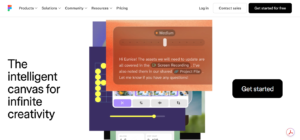
Figma remains the default choice for most design teams in 2026. It runs entirely in the browser, so nobody on your team needs to install anything, and multiple people can edit the same file at once with changes appearing instantly.
Best for: teams of any size that need real-time collaboration and a massive plugin library. Paid seats start around $16 per editor a month on the annual Professional plan, with a free Starter plan that covers up to three files, enough to test it properly before paying.
2. Adobe XD
Origami Studio is Meta’s free prototyping tool, built for the kind of complex, physics-based interactions that simpler click-through tools can’t handle: swipe gestures, device sensors, and multi-screen logic. Meta’s own product teams use it to prototype Instagram and WhatsApp features before they ship.
Best for: mobile-focused teams who want Mac-native, high-fidelity interaction prototypes at zero cost. It’s Mac-only, has a steeper learning curve than Figma or Framer, and won’t make sense for a team without a dedicated designer to own it.
3. Framer
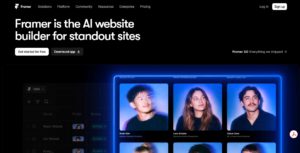
Framer blurs the line between design tool and website builder. You can prototype a homepage and then publish it as a live, hosted site straight from the same file, cutting out the usual handoff to a developer entirely.
Best for: founders and small teams building marketing sites and landing pages who want to go from idea to live URL fast. It’s not built for complex dashboards or multi-step logic, so a fintech product team will outgrow it quickly.
4. Webflow
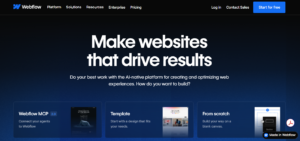
Webflow is a no-code tool that produces real, production-ready HTML and CSS, not a static mockup pretending to be a website. You design visually and Webflow writes the code underneath, so what you prototype is what actually ships.
Best for: teams that want to skip the “prototype now, rebuild later” cycle entirely. I’ve used Webflow-style visual builders on client projects where speed to launch mattered more than pixel-level custom code, including early-stage energy and services brands that needed a credible site within weeks, not months.
5. Sketch
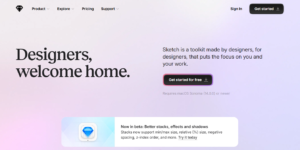
Sketch is a Mac-only vector design tool with a loyal following among designers who prefer a native app over a browser tab. Its Prototyping mode handles taps, swipes, and screen transitions cleanly, and its plugin ecosystem is still one of the largest around.
Best for: Mac-based design teams who want a fast, focused editor and don’t need real-time co-editing the way Figma offers it. Pricing starts around $12 per editor a month, with no permanent free tier, just a 30-day trial.
6. Axure RP
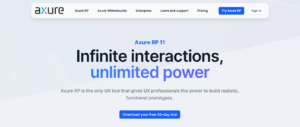
Axure RP is built for prototypes with actual logic behind them: conditions, variables, and dynamic content that behave close to a working product. That makes it a strong choice for anyone prototyping a dashboard, a booking system, or any interface with real business rules.
Best for: teams building complex, rule-heavy applications who need developer-ready specs, not just clickable screens. It’s pricier than most on this list, starting around $29 per user a month, with a steeper learning curve than Figma or Framer.
7. Marvel App
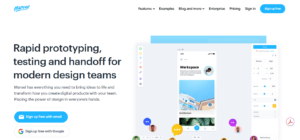
Marvel App strips prototyping down to the essentials: upload your screens, link them together, and share a clickable version with your team or client in minutes. There’s very little to learn before you’re productive.
Best for: solo designers and small teams who need a clickable version in front of a client fast, without a training curve eating into the timeline. A free plan covers one user with two active projects.
8. Balsamiq
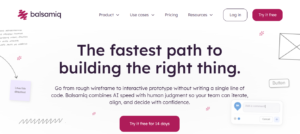
Balsamiq keeps every screen looking deliberately hand-drawn, which may sound like a limitation until you see what it does: it preserves early conversations about layout and flow rather than colours and fonts. Clients stop nitpicking your font choice when the wireframe already looks like a sketch.
Best for: the very first round of idea testing, before anyone has committed to a visual direction. Cloud plans start around $9 per editor a month.
9. UXPin
UXPin builds prototypes out of real, functioning components rather than static images, so what your developers see behaves closer to the finished product from day one. That cuts down on the back-and-forth where a developer asks whether a dropdown actually filters the list or is just for show.
Best for: teams that want the smallest possible gap between design and development handoff. Paid plans start around $29 per user a month.
10. Justinmind
Justinmind handles data-heavy interfaces well: tables, forms, filters, and the kind of admin panel most SaaS products eventually need. If your prototype needs to show what happens when a table has 200 rows instead of 5, this is built for that.
Best for: teams prototyping dashboards, internal tools, or anything with heavy data entry. Paid plans start around $19 per user a month, with a limited free plan for basic use.
11. ProtoPie
ProtoPie prototypes interactions most other tools can’t touch: device tilt, camera input, and multiple screens talking to each other in real time. It’s built for teams who need a prototype that genuinely feels like the finished hardware or app experience.
Best for: teams testing advanced interactions, wearables, or multi-device products. Paid plans run from around $25 to $47 a month depending on tier, with custom pricing for larger teams.
12. Penpot
Penpot is free, open-source, and can run entirely in your browser or on your own server. Every file stays under your control, which matters if your business handles sensitive client data and you’d rather not have design files sitting on a vendor’s servers by default.
Best for: teams that want a genuinely free option with no vendor lock-in, or teams with strict data-handling requirements. There’s no cost to use the core product, with an optional paid tier starting around $7 per editor a month for extra team features.
Prototyping Tools Compared at a Glance
| Tool | Best For | Starting Price | Standout Feature |
| Figma | Real-time team collaboration | Free; paid from ~$16/editor/mo | Multiplayer editing, huge plugin library |
| Adobe XD | Adobe ecosystem users | Free; paid from ~$9.99/mo | Auto-animate, voice prototyping |
| Framer | Publishing live sites from a prototype | Free plan available | Prototype to hosted site in one tool |
| Webflow | Real, production-ready output | Free plan available | Visual builder that writes real code |
| Sketch | Mac-native design teams | From ~$12/editor/mo | Deep plugin ecosystem |
| Axure RP | Complex, logic-driven prototypes | From ~$29/user/mo | Conditional logic and variables |
| Marvel App | Fast, simple handoff | Free plan available | Near-zero learning curve |
| Balsamiq | Early-stage wireframing | From ~$9/editor/mo | Deliberately rough sketch style |
| UXPin | Code-realistic prototypes | From ~$29/user/mo | Interactive, functioning components |
| Justinmind | Data-heavy interfaces | Free plan; paid from ~$19/user/mo | Strong tables and form components |
| ProtoPie | Advanced hardware interactions | From ~$25/mo | Sensor and multi-device support |
| Penpot | Free, self-hosted control | Free; paid from ~$7/editor/mo | Open source, full data ownership |
Pricing changes often, so confirm current rates directly on each vendor’s site before you commit.
How to Choose the Right One for Your Business
Most Nigerian founders don’t need all 12 tools. They need one that fits their stage, their budget, and how much back-and-forth their team can realistically handle.
If you’re a solo founder or early-stage startup with no dedicated designer, start with Figma’s free tier or Marvel App. Both get you a clickable version of your site in front of real users within a day, and neither requires you to learn a new discipline just to test an idea.
If you’re a marketing manager working with a small in-house team and an agency, Framer or Webflow tend to save the most time, because what you prototype can often ship as the actual website with minor cleanup. I used this approach when I helped build Tursan Energy’s website ahead of their market launch, where speed from concept to live site mattered as much as final polish.
If you’re an established brand with an internal product team and real compliance or data requirements, Axure RP, UXPin, or Penpot are worth the higher learning curve. The upfront cost in training time pays off once your prototypes carry real business logic that developers can build against directly.
Mistakes We See Nigerian Businesses Make With Prototypes
I’ve reviewed prototypes from dozens of founders before they came to us for a full website build, and the same three mistakes show up again and again.
The first is designing for a laptop screen and never once testing on the phone the customer will actually use. Most of your traffic in Nigeria is mobile, so a prototype that only looks good at 1440 pixels wide is solving the wrong problem.
The second is skipping the developer handoff step entirely. A gorgeous Figma file with no specs, no measurements, and no component states forces your developer to guess, and guessing shows up as bugs three weeks later.
The third is confusing “we like it” with “it works.” A prototype that gets approved in a boardroom and then confuses real customers within the first ten seconds needed user testing before it needed sign-off, not after. If you’re not sure whether your current site is doing its job at all, my breakdown of the difference between a website designer and a digital marketing agency in Nigeria is a good next read, since design and growth are two different problems that need two different approaches.
Frequently Asked Questions
What’s the best free prototyping tool for a Nigerian startup?
Figma’s free tier is the strongest starting point for most teams, covering up to three files with full prototyping features. Origami Studio and Penpot are close seconds if you need something more advanced or fully open source.
Do I need a professional designer to use these tools?
No, not for a basic clickable prototype. Tools like Marvel App and Balsamiq are built for non-designers to test an idea quickly. Once your product needs real visual polish and conversion-focused design, that’s where working with a product design team starts paying for itself.
Can I go straight from a prototype to a live website?
With Framer and Webflow, yes, largely. Most other tools on this list are built for testing ideas, not shipping production code, so you’ll still need a development step.
Which tool works best on slow or unstable internet?
Desktop-native tools like Sketch, Axure RP, and Origami Studio depend less on a live connection than fully browser-based tools. If you’re building on a browser-based tool like Figma or Webflow, test it on the connection speed your actual team uses daily, not just office fibre.
Where to Go From Here
Picking a prototyping tool is a smaller decision than most founders make it out to be. What actually determines whether your website works is whether real customers can use it without confusion, and whether your developer can build it without guessing. Start with a tool that matches your team’s size and budget today, not the one you think you’ll need in a year.
If you’d rather skip the trial and error and go straight to a website that’s already tested with real users and built to convert, that’s exactly what my website development team handles every week. Get in touch, and I’ll walk through your current prototype or start one from scratch and tell you honestly what it needs before you spend a single naira on development.